
Overview
The EmailRep integration allows autobotAI to leverage email reputation intelligence for enhanced security and threat detection. EmailRep is a threat intelligence service that provides reputation data for email addresses, analyzing factors like data breaches, domain reputation, and historical behavior patterns. By integrating with EmailRep, autobotAI can automate email verification, detect phishing attempts, and assess email trustworthiness, helping organizations proactively protect against email-based threats and fraud.
This guide provides instructions for setting up an integration with EmailRep in your autobotAI account. By completing this process, you will connect your EmailRep account and its associated resources to the platform.
Prerequisites
Before starting, ensure you have:
- A EmailRep Account with the necessary administrative privileges
Steps to Set Up EmailRep Integration
Step 1:
Navigate to the Integrations page by selecting Integrations from the menu. Click the + Add Integration button in the top-right corner to view the list of available integrations.

Step 2:
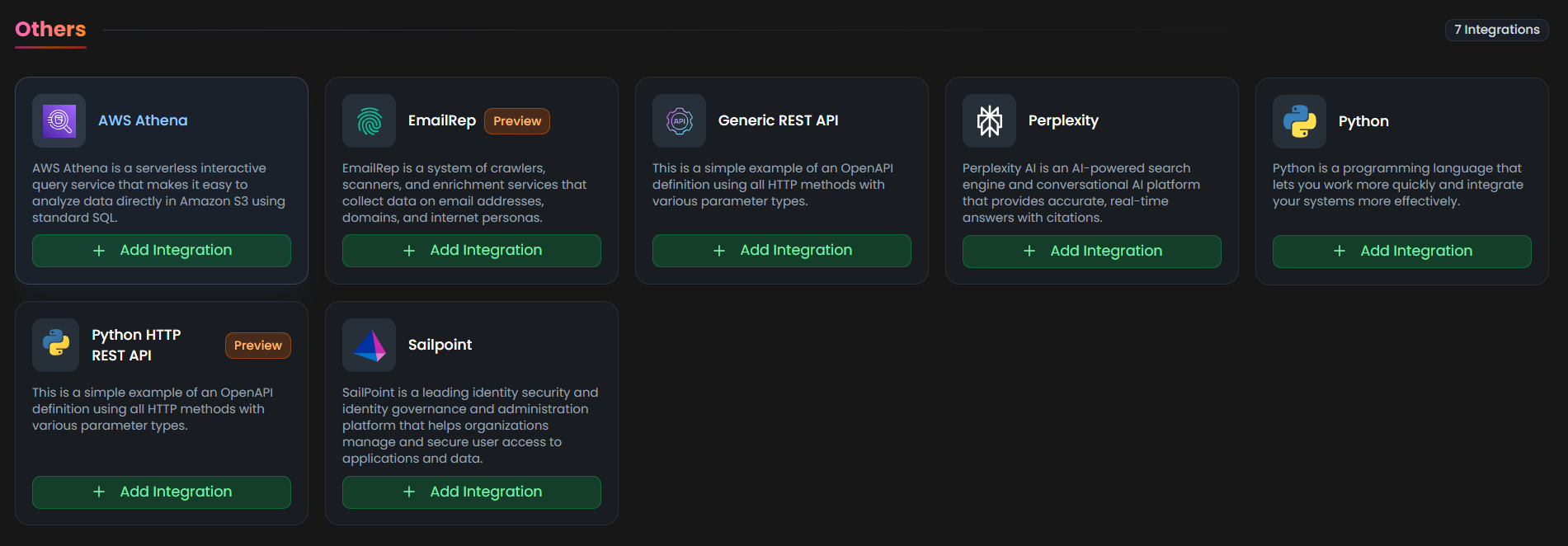
From the list, under the Others section, select EmailRep + Add to create the EmailRep integration.
Step 3:
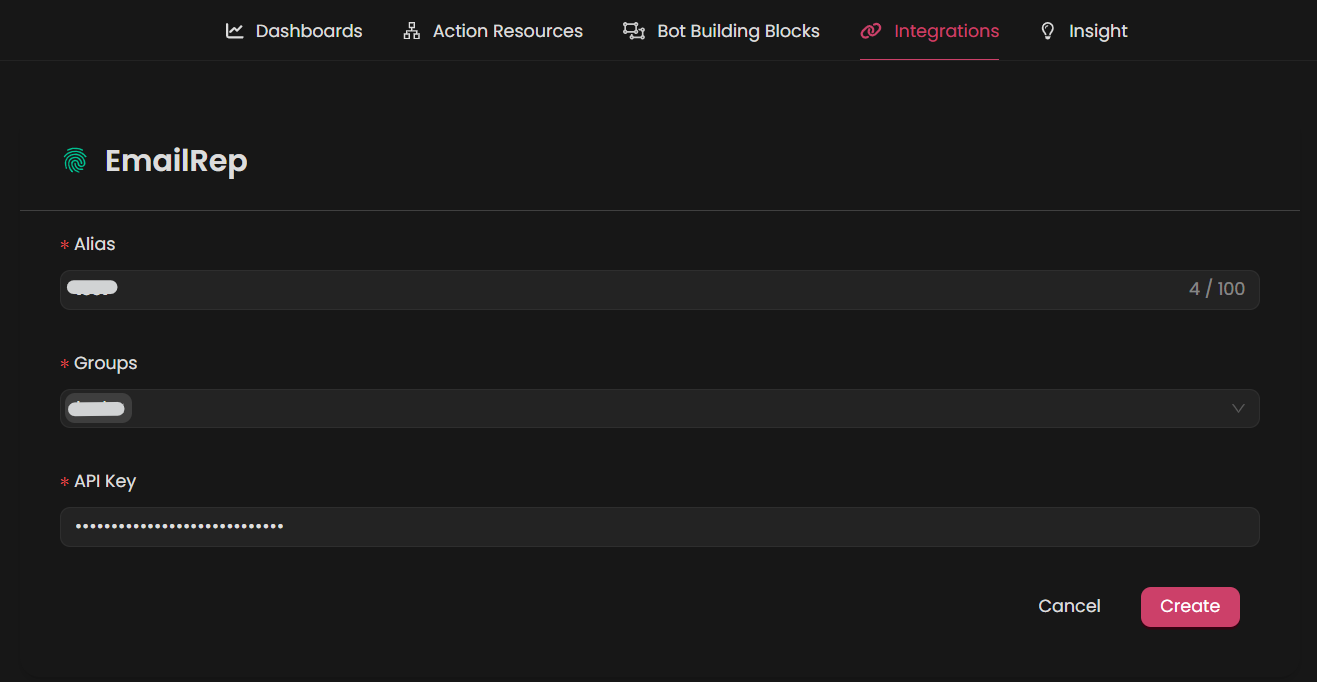
Fill in the required fields according to your integration type:
Note: Fields marked with an asterisk (*) are mandatory.
- Alias: Provide a meaningful name or alias for this integration.
- Tag(Optional): Choose a tag to help organize the integration.
- Api key: Enter your api key
Verify the information, then click Create to complete the integration.
Step 4:
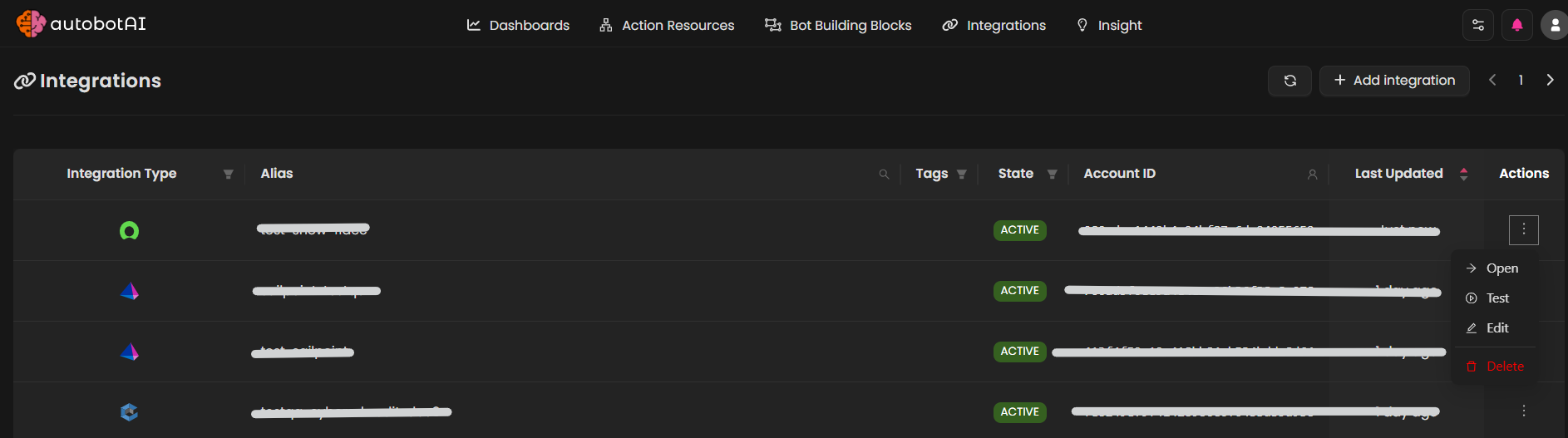
After the integration is successfully created, locate it under Integrations. Click on the three dots on the left side and select Test to ensure your integration is properly configured with autobotAI.
Additional Information
How to get Api key
-
Navigate to https://emailrep.io/ and click "API Key"

-
Select the plan that fits your needs.
-
Enter the required details to receive your API key