
Acunetix Web Application Security
The Acunetix integration connects AutobotAI with your Acunetix Vulnerability Scanner instance, enabling security teams to programmatically manage scan targets, trigger vulnerability scans, monitor scan status, and retrieve findings (SQL injection, XSS, etc.) for automated incident response.
This guide provides instructions for setting up the Acunetix integration in your AutobotAI account.
Prerequisites
Before starting, ensure you have:
- An active Acunetix Premium or Acunetix Online account.
- An Acunetix API Key generated from your profile.
- The base URL of your scanner (e.g.
https://online.acunetix.com/api/v1for Cloud, or a local URL likehttps://your-acunetix-server:3443/api/v1for On-Premises).
Steps to Set Up Acunetix Integration
Step 1:
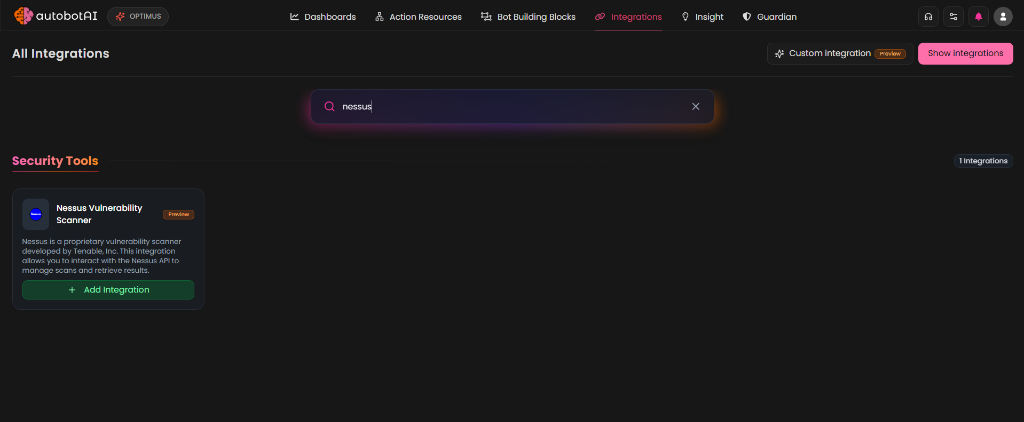
Navigate to the Integrations page by selecting Integrations from the menu. Click the + Add Integration button in the top-right corner to view available integrations.

Step 2:
From the list, under Security Tools, select Acunetix + Add to create the Acunetix integration.
Step 3:
Fill in the required fields as follows:
Note: Fields marked with an asterisk (*) are mandatory.
- Alias*: Provide a meaningful identifier for this scanner instance.
- Tag(Optional): Choose a tag to help organize the integration.
- Acunetix URL*: Enter the base URL of your scanner (e.g.,
https://online.acunetix.com/api/v1orhttps://127.0.0.1:3443/api/v1). - API Key*: Enter your Acunetix API key.
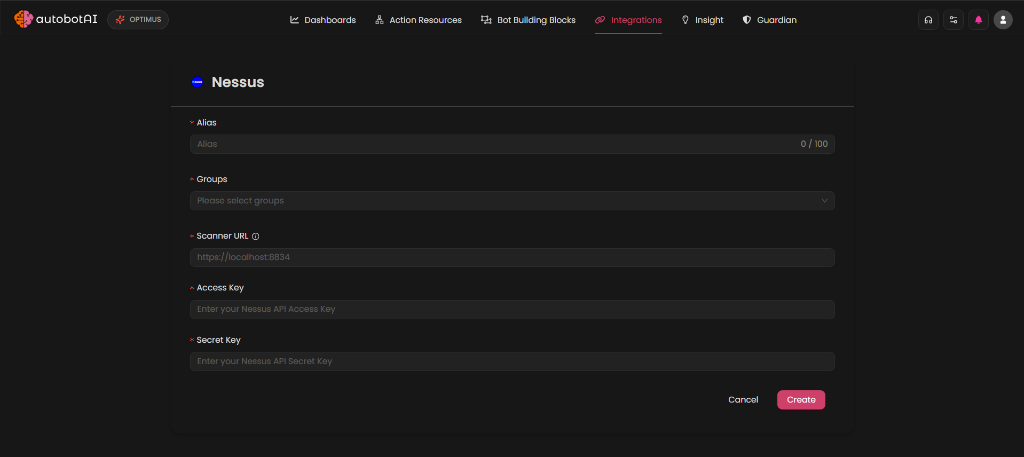
Double-check the information, then click Create to complete the integration setup.
Step 4:
After creating the integration, locate it under Integrations. Click the Play (▶) button in the Actions column to test and ensure your integration is configured correctly. The test will query the /targets endpoint for 1 target to strictly verify your credentials.
Additional Information
How to Retrieve Acunetix API Key
- Log in to your Acunetix Web UI.
- Click on [Your Name/Username] in the top corner of the screen and select Profile.
- Scroll down to the API Key section.
- Click Generate new api key (or Show / Copy if one already exists).
- Copy the generated token for use in the AutobotAI integration form.