
Overview
The SentinelOne integration allows autobotAI to connect with SentinelOne's endpoint protection platform, enabling automated threat detection, response, and remediation. This integration streamlines incident response workflows, automatically isolates compromised endpoints, and reduces mean time to respond (MTTR) to security threats.
This guide provides instructions for setting up SentinelOne integration in your autobotAI account. By completing this process, you will connect your SentinelOne account and its associated resources to autobotAI for seamless user and identity management.
Prerequisites
Before starting, ensure you have:
- A SentinelOne account with the necessary administrative privileges.
Steps to Set Up SentinelOne Integration
Step 1:
Navigate to the Integrations page by selecting Integrations from the menu. Click the + Add Integration button in the top-right corner to view available integrations.

Step 2:
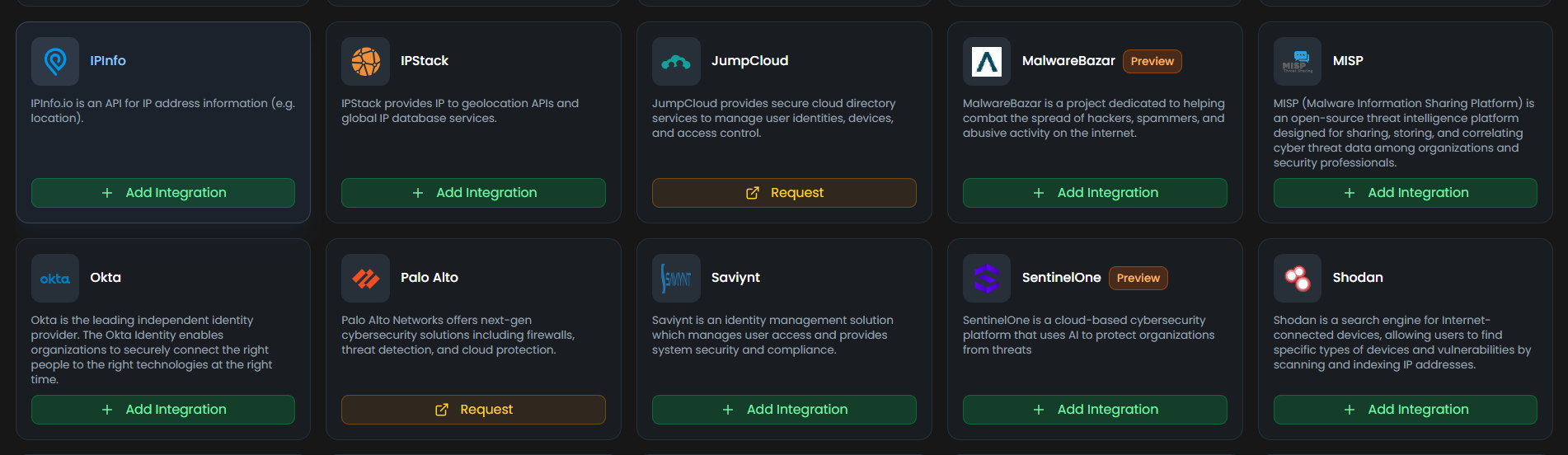
From the list, under Security Tools section, select SentinelOne + Add to create the SentinelOne integration.
Step 3:
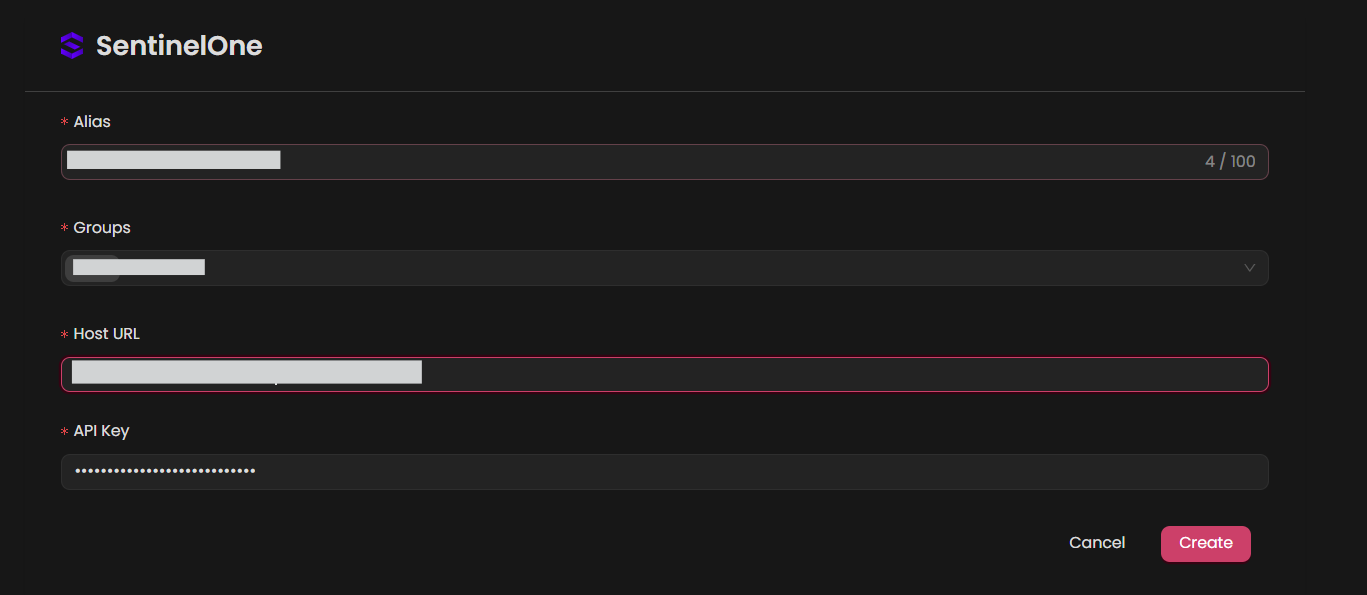
Fill in the required fields as follows:
Note: Fields marked with an asterisk (*) are mandatory.
- Alias: Provide a meaningful name or alias for this integration.
- Tag(Optional): Choose a tag to help organize the integration.
- Host URL: Enter your Host URL
- API Key: Enter your API Key
Verify the information, then click Create to complete the integration.
Step 4:
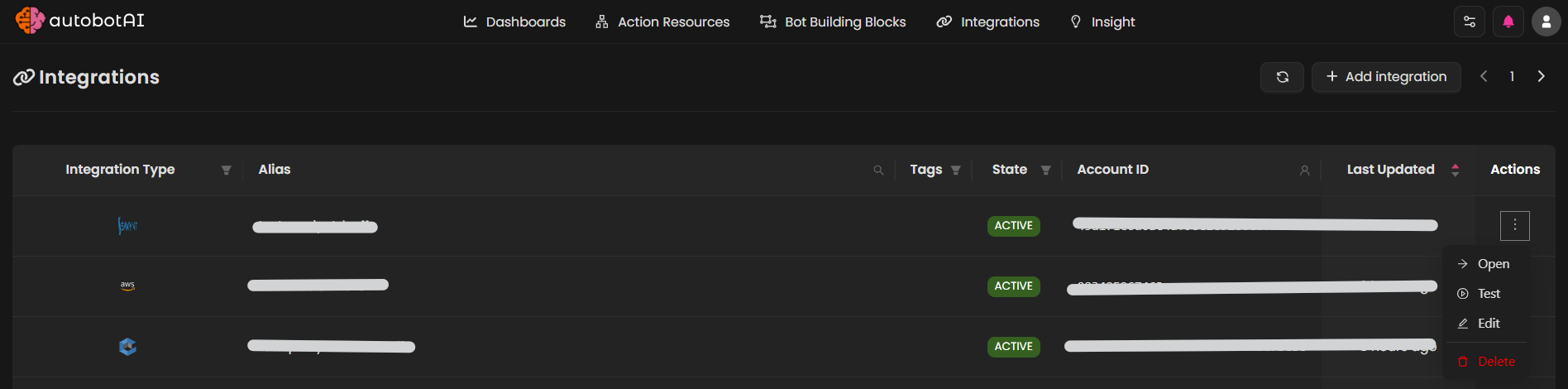
After the integration is successfully created, locate it under Integrations. Click on the three dots on the left side and select Test to ensure your integration is properly configured with autobotAI.
Additional Information
How to Retrieve Api Key:
-
Log in to SentinelOne:
-
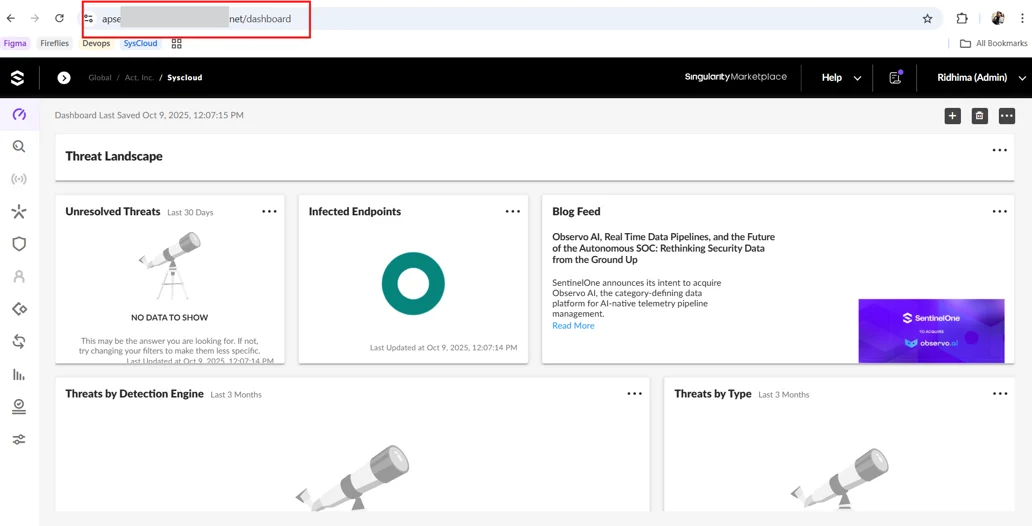
Go to
https://<domain>.sentinelone.net, where<domain>is the prefix value that SentinelOne provided to you -
Sign in to the SentinelOne console with administrator permissions.
-
-
Get Api token:
-
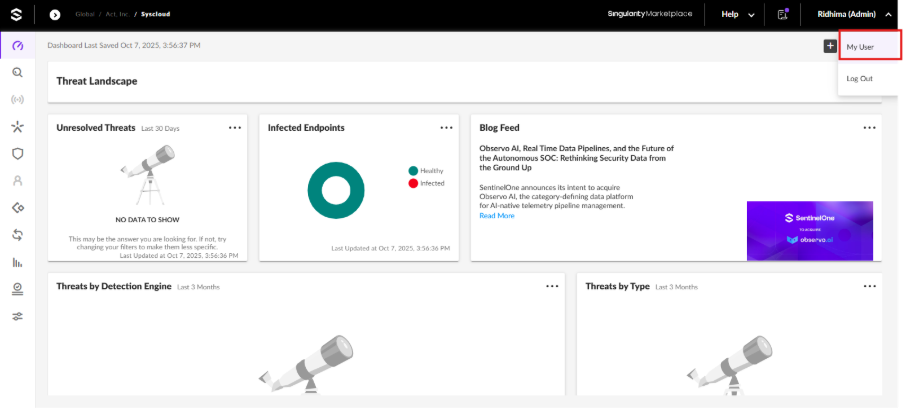
In your SentinelOne account, go to the top-right corner of the screen and click on your profile icon.
-
From the dropdown, select My User.
-
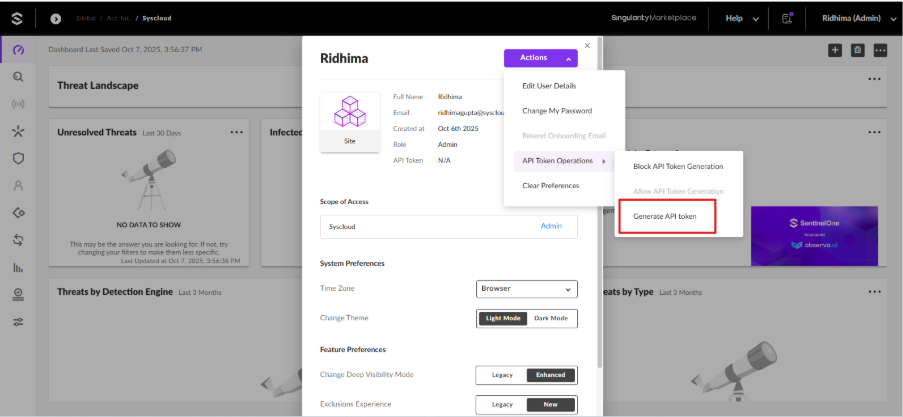
Under the Actions dropdown, choose API Token Operations and click on Generate API Token.
-
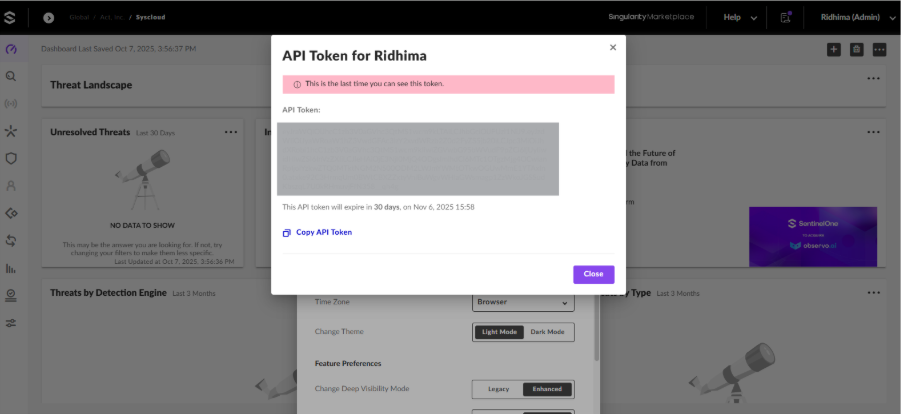
The newly generated API key will be displayed.
-