
Overview
The Zenduty integration allows autobotAI to connect with your Zenduty account, centralizing incident alerts and notifications to keep your teams informed in real time. Zenduty is an end-to-end incident management and response platform designed for SRE, DevOps, and IT operations teams, helping organizations reduce downtime and improve system reliability.
By integrating Zenduty with autobotAI, you can receive critical alerts, orchestrate responses, and ensure the right personnel are notified through your preferred channels, enabling faster collaboration and resolution.
Prerequisites
Before you begin, ensure you have:
- A Zenduty API Token generated from your Zenduty account settings.
(Refer to the Additional Information section below for details on generating one.)
Steps to Set Up Zenduty Integration
Step 1:
Navigate to the Integrations page in autobotAI by selecting Integrations from the menu. Click the + Add Integration button located at the top-right corner to view all available integrations.

Step 2:
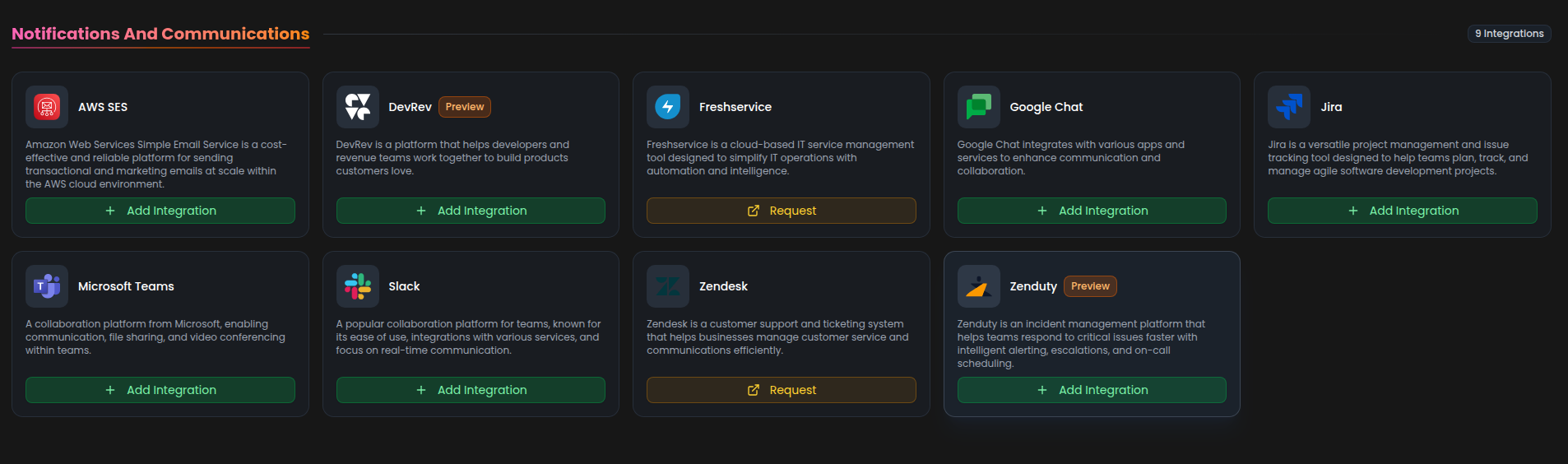
From the list, under the Notifications and Communications section, select Zenduty + Add to initiate the Zenduty integration setup.
Step 3:
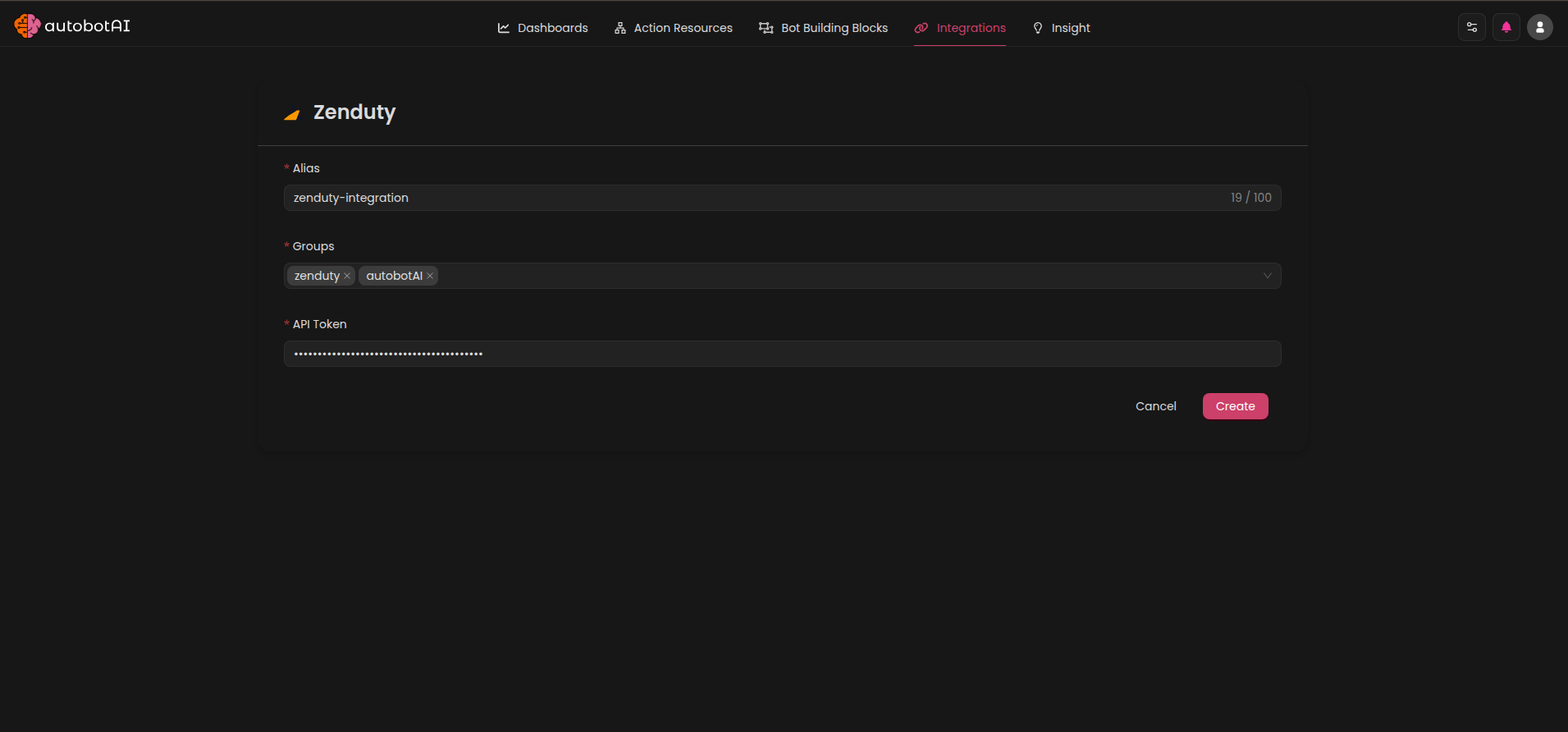
Fill in the following fields as required:
Note: Fields marked with an asterisk (*) are mandatory.
- Alias: Provide a meaningful name or alias for this integration.
- Tag(Optional): Choose a tag to help organize the integration.
- API Token: Enter the API token generated from your Zenduty account for authentication.
After entering the required details, click Create to complete the setup.
Step 4:
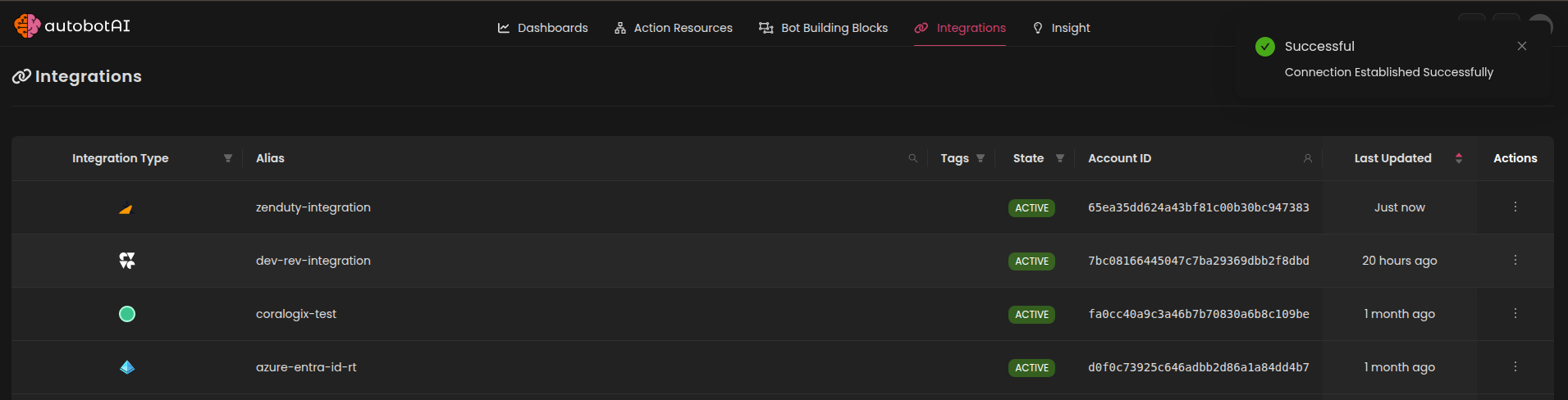
Once the integration is created, locate it under Integrations. Click the three dots next to it, select Test, and verify that autobotAI is successfully connected to your Zenduty account.
Additional Information
How to Generate a Zenduty API Token
- Log in to your Zenduty account.
- Click on your profile icon in the top-right corner and select Account.
- Navigate to the API Keys tab.
- Click Create API Key (or "Create a new API key").
- Provide a name for your key and click Create.
- Copy the generated API key and store it securely (for security reasons, you cannot view it again after leaving the page).
Paste this key into the API Token field in autobotAI during the integration setup.
Key Benefits of the Zenduty Integration
- Centralized Incident Management: Track and manage incidents from multiple monitoring and support systems in one place.
- Customizable Alerting: Ensure the right teams are notified through Slack, MS Teams, SMS, or other channels.
- Faster Response: Automate escalation policies and use AI-driven insights to reduce resolution times.
- Seamless Collaboration: Orchestrate response roles, task templates, and post-mortems directly from alerts.
After setup, be sure to test the integration to confirm connectivity and incident alert delivery between autobotAI and Zenduty.