
Overview
The AWS Security Lake integration allows autobotAI to automatically collect and analyze centralized security data from your AWS environment, enabling faster threat detection and incident response across all your cloud resources.
The AWS Security Lake integration enables autobotAI to access and analyze centralized security data stored in your Security Lake directly through the autobotAI platform. By completing this setup, you will connect AWS Security Lake, allowing for enhanced threat detection, security insights, and automated incident response capabilities within autobotAI.
Prerequisites
Before you begin, ensure you have:
- Integration ID for your AWS Security Lake instance.
- AWS Region where your AWS Security Lake is hosted.
Steps to Set Up AWS Security Lake Integration
Step 1:
Navigate to the Integrations page by selecting Integrations from the menu. Click + Add Integration at the top-right corner to view available integrations.

Step 2:
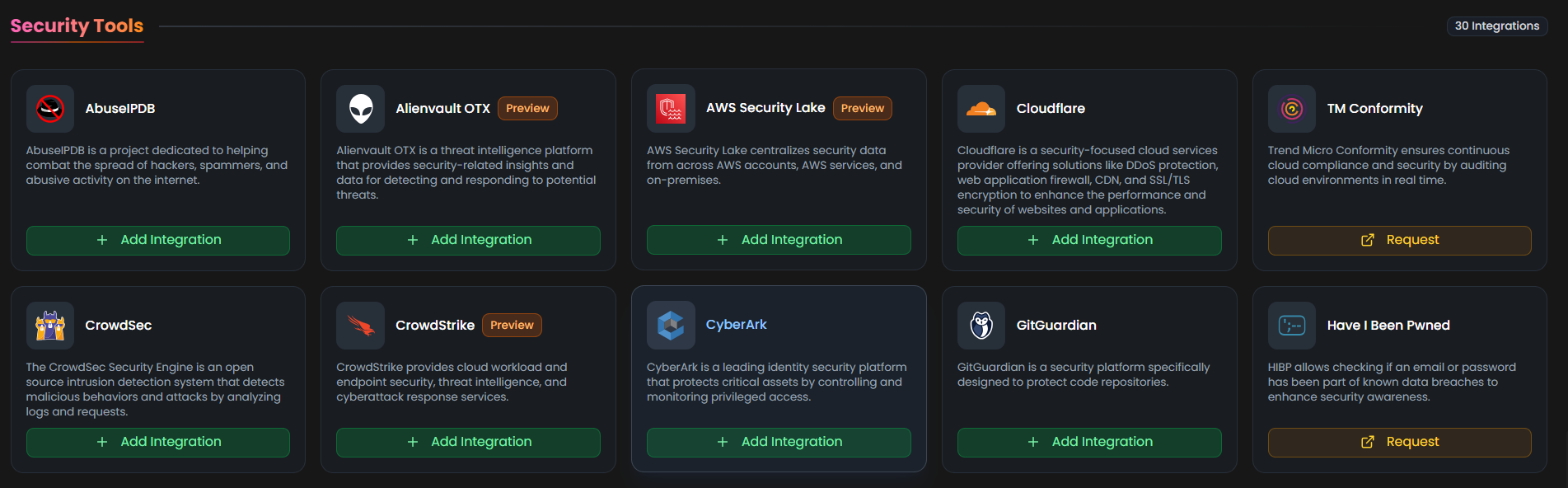
Under security tools, select AWS Security Lake + Add to initiate the AWS Security Lake integration.
Step 3:
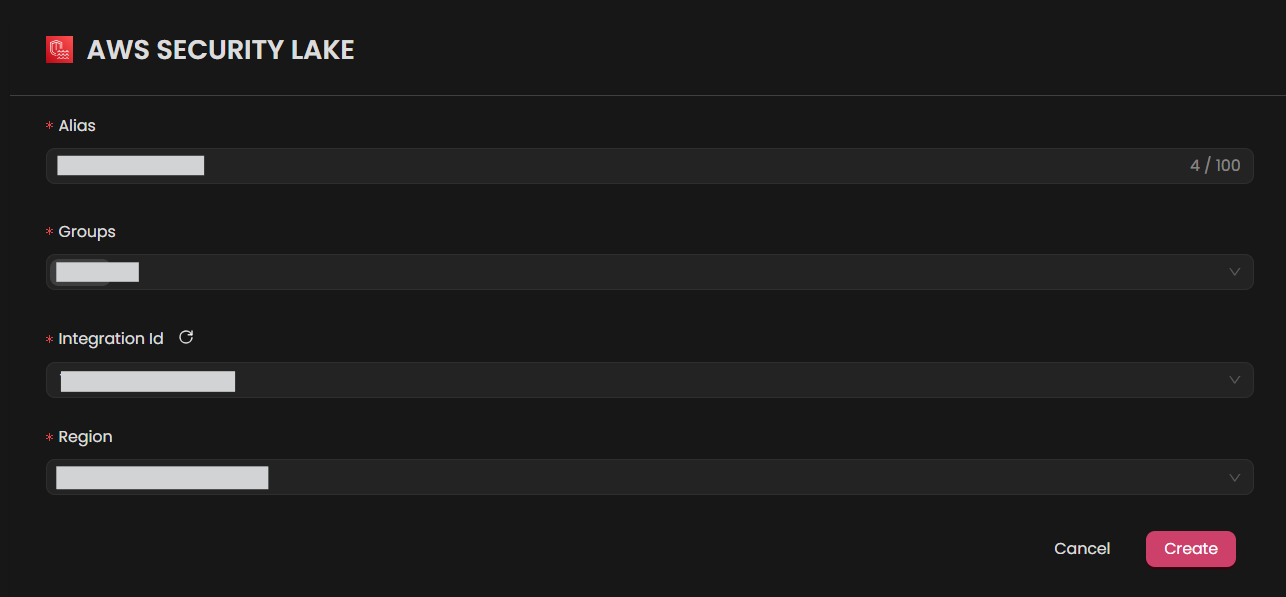
Complete the following required fields:
Note: Fields marked with an asterisk (*) are mandatory.
- Alias: Provide a descriptive name for this integration.
- Tag(Optional): Choose a tag to help organize the integration.
- Integration ID: Enter the unique identifier for your AWS Security Lake instance that autobotAI will connect to.
- Region: Specify the AWS region where your Security Lake service is hosted (e.g.,
us-east-1).
Click Create to complete the setup after entering the necessary information.
Step 4:
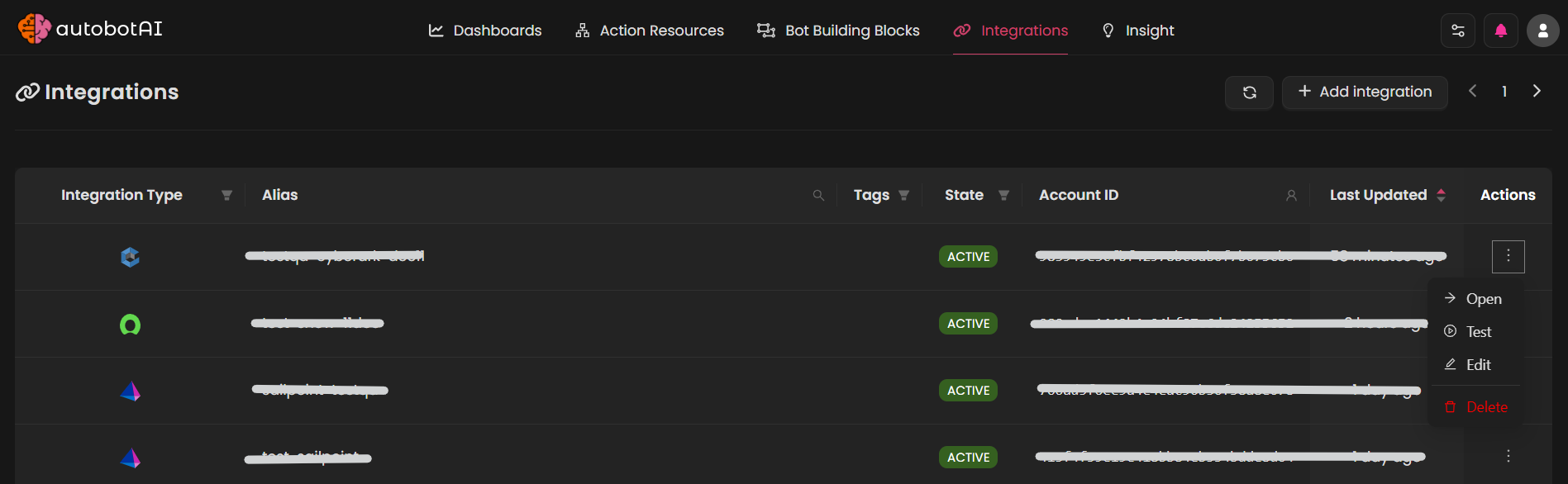
After creating the integration, locate it under Integrations. Click on the three dots next to it, select Test, and verify that your AWS Security Lake account is successfully connected to autobotAI.
Additional Information
How to Obtain the Integration ID
To retrieve the Integration ID for AWS Security Lake:
-
Deploy the AWS Integration CloudFormation Stack:
Ensure that you deploy the AWS Integration CloudFormation stack in the region where your AWS Security Lake is hosted. The deployment provides the required Integration ID specific to your Security Lake instance. -
Locate Your AWS Account ID:
You'll need your AWS account ID as part of this setup. Refer to the AWS Management Console if necessary to confirm your account ID. -
Verify Security Lake Configuration:
Ensure that AWS Security Lake is already set up and actively collecting data in your AWS environment before proceeding with the integration.
Once the CloudFormation stack is successfully deployed in your selected region, you'll be able to access the Integration ID and complete the AWS Security Lake integration.